The thing that sold me on Spiffy was the integration with ActiveCampaign. The integration is way more in depth than any other program out there. I also love the design, it is a great product.
 ActiveCampaign Integration Checkout and payment data built for ActiveCampaign users.
Spiffy connects your checkout, payment activity, and billing events to ActiveCampaign actions. Trigger tags, lists, automations, contact updates, and Deep Data from the sale itself without routing every order through a middleware tool.
Try Spiffy risk‑free for 30 days.
Capabilities
What Spiffy can send to ActiveCampaign.
Build checkout follow-up around the purchase, subscription, payment plan, and customer events happening in Spiffy.
Add or remove tags
Add or remove multiple tags on the customer contact record after a successful purchase.
Add or remove lists
Add or remove contacts from one or many ActiveCampaign lists after a checkout purchase.
Add or remove automations
Start or stop ActiveCampaign automations from checkout, product option, upsell, payment, and billing events.
Direct integration
Connect Spiffy directly to ActiveCampaign so checkout and payment behavior can run ActiveCampaign actions without a Zapier step.
Auto-send contact info
Connect ActiveCampaign once and Spiffy can send customer data when a buyer completes a checkout.
Deep Data
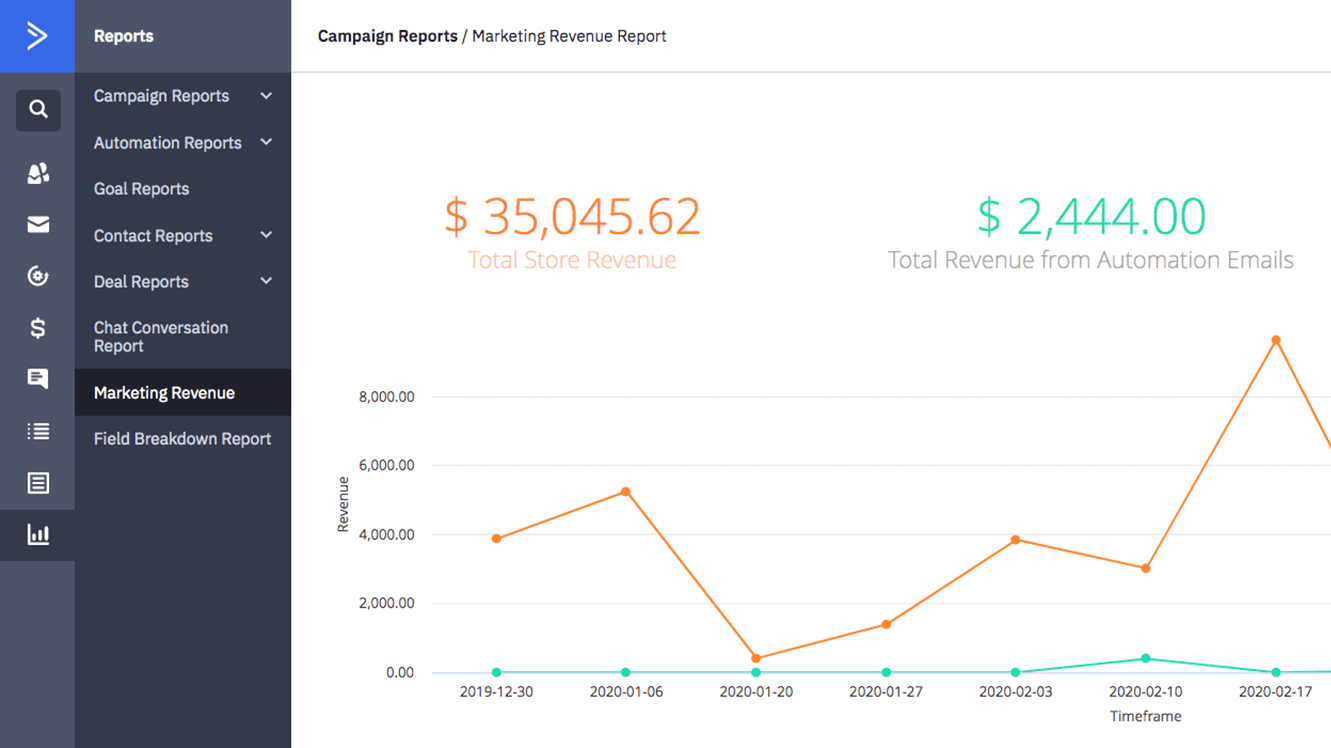
Send order context into ActiveCampaign so sales data, ecommerce segmentation, and revenue reports stay tied to the customer.
Deep Data note: Deep Data requires ActiveCampaign Plus or higher. ActiveCampaign Lite accounts can connect to Spiffy, but Lite does not receive sales data through Deep Data.

Setup flow
Connect once, then use actions where they fit.
Start with the direct integration, then add platform actions to the specific checkout, product option, upsell, subscription, or billing event that should run them.
Open setup guide- 1 Connect ActiveCampaign Add your ActiveCampaign account in Spiffy settings, then choose which account should receive checkout data.
- 2 Choose the purchase event Add actions at the checkout, product option, upsell, subscription, payment plan, or billing event level. If Stripe is your connected gateway, Spiffy uses the resulting purchase and billing events to run those actions.
- 3 Attach the right action Apply tags, update lists, start automations, or send Deep Data based on what the customer bought.
- 4 Review the customer record Use ActiveCampaign contact records and Spiffy automation logs to confirm the data and actions that ran.
Product workflows
Use ActiveCampaign across the checkout lifecycle.
Spiffy integrations sit next to checkout, automation, subscription, and payment plan behavior, so platform data stays connected to the sale.
Automations
Run tags, lists, automations, and Deep Data from checkout and billing events.
View AutomationsSubscriptions
Keep subscription lifecycle events connected to ActiveCampaign follow-up.
View SubscriptionsPayment plans
Use installment events to drive reminders, onboarding, and customer segmentation.
View Payment plansRelated integrations
Other tools teams connect with Spiffy.




ActiveCampaign questions?
Need help mapping the integration? Get in touch.
How does the ActiveCampaign checkout integration work in Spiffy?
Can Spiffy add ActiveCampaign tags after purchase?
Does Deep Data work on every ActiveCampaign plan?
Can I start ActiveCampaign automations from Spiffy?
Can Spiffy pass Stripe payment activity to ActiveCampaign?
What can Deep Data add to ActiveCampaign?
Do I need Zapier for ActiveCampaign?
Ask about Spiffy on
Build ActiveCampaign checkout workflows around the actual sale.
Connect Spiffy to ActiveCampaign and turn purchases, billing events, and customer data into targeted follow-up.